3D configurators & product finders
Show buyers exactly how your products fit their job.
3D scenes, interactive product views and a technical PDF made for each buyer, so your sales team gets leads with the project already defined.

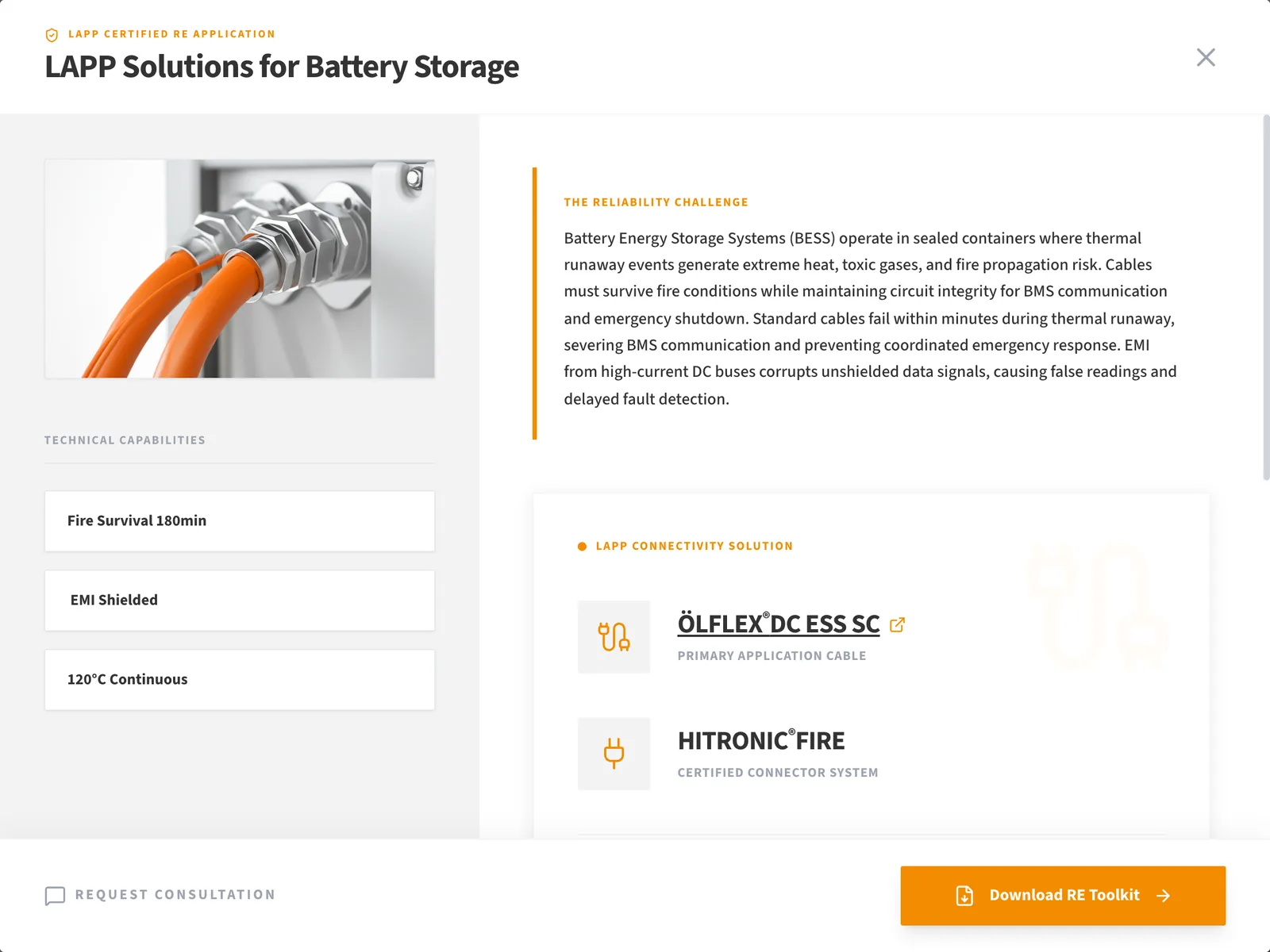
Two industries from the navigator. Each hotspot is an application with its own checked answer and PDF.
When a brochure can't explain what you sell.
Your products are hard to explain with a photo and a spec table.
Buyers download the same brochure as everyone else, and you never hear from them.
Engineers choose by application, but your website is organised by product line.
Sales spends the first call working out what the buyer actually needs.
Your best product knowledge lives in your engineers' heads, not on the website.
Your distributors can't explain the range as well as your own team can.
What an interactive sales tool actually is.
A sales tool is something a buyer uses. They explore a 3D scene of their industry, click where the product has to work, and see the risks and the right products. Or a finder gives them a shortlist.
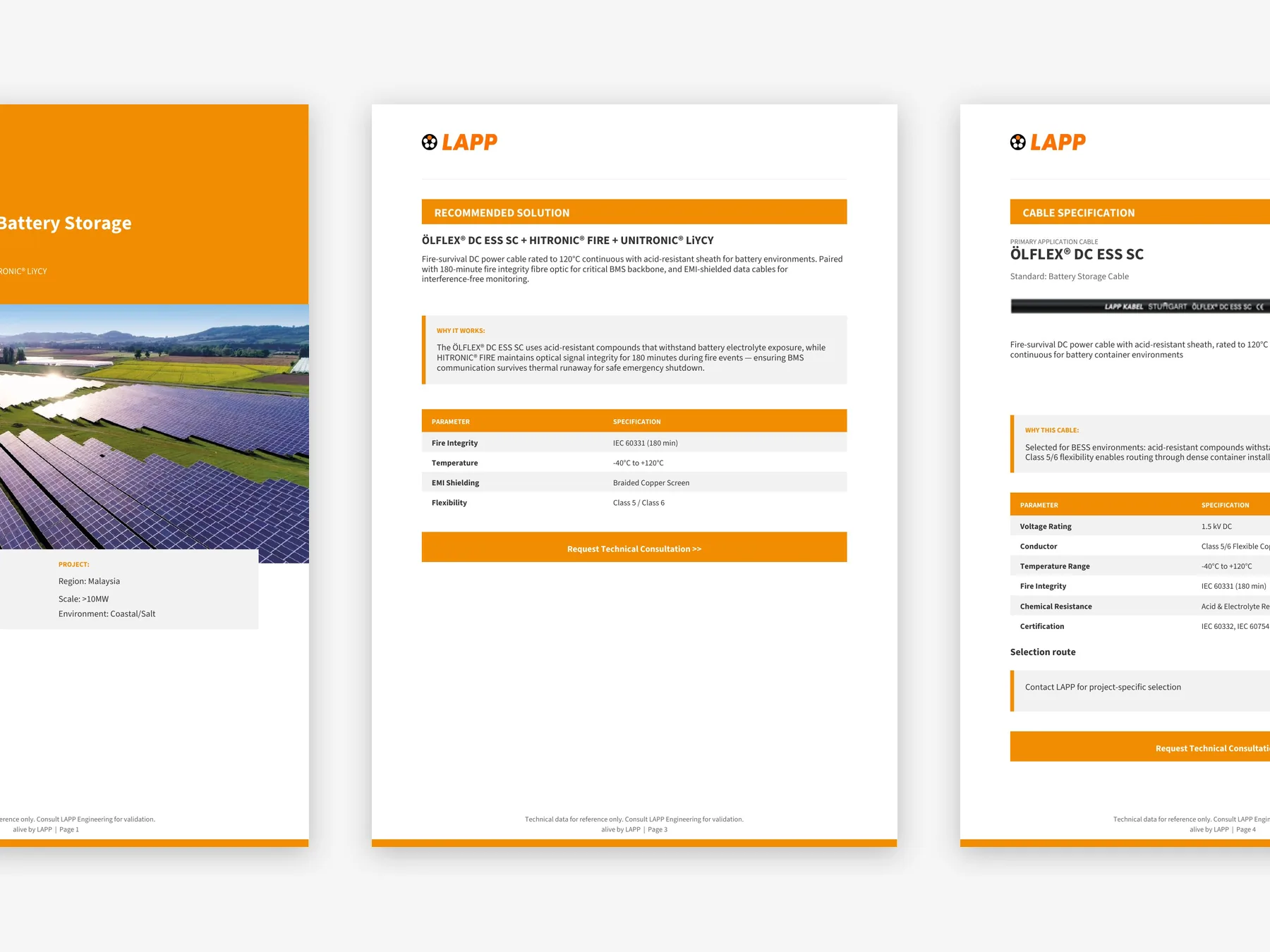
Then they leave with a technical PDF built on the spot for their application, country, project size and site, with your brand on every page. It's the document they forward to their manager and procurement.
That's what makes it lead generation. Every download reaches your CRM with the buyer's choices, scored and sent to the sales team for their country, so the first reply is about their project, not a form.
Our largest one is an application navigator for a global cable manufacturer. The concept won the manufacturer's own brand award in 2026, and it now runs in six country stores from one build.
- Buyer01
Explores
Clicks the spot in the scene that matches the project.
- Buyer02
Gets the answer
The risks on that site and the products built for them.
- Buyer03
Downloads the PDF
Built on the spot for the application, country, size and site.
- Sales04
Picks up the lead
In the CRM, with everything the buyer chose.
What's included.
3D scenes and renders
Scenes of the places your products work, like a solar site or a warehouse, and product renders made from your drawings or photos.
Interactive product views
Hotspots, zones and comparisons buyers click through on any screen, embedded in the website you already have.
Application mapping
Working sessions with your engineers to map each application, its conditions, its failure risks and the right products.
Finders and checks
A few questions narrow the range, and short checks show a buyer the cost of choosing wrong.
A PDF for every buyer
A technical PDF built for each buyer's application, country, project size and site, small enough to open on a phone.
Leads into your CRM
Every request scored by clear rules and sent to the team for the buyer's country, with their choices attached.
One build, every market
One hosted build embedded in every country site, with no rebuild for each market.
Tracking
Which applications, products and markets buyers explore, so product marketing knows where the demand is.
How we build it.
A fixed build, one industry at a time. Most clients start with one and add the next once the first is live.
Map the applications
Working sessions with your engineers turn what they know into a structured map of applications, risks and products.
Design the journey
How a buyer moves from the scene to the answer to the PDF, tested with your sales team before we build.
Build the scenes and the tool
The 3D scenes, renders and interactive views, fast on a phone and embedded in your site.
Build the PDF
A template in your brand that fills itself from the buyer's choices, checked across every application before release.
Connect the leads
Requests scored, saved to your CRM and sent to the right country team, with the buyer's choices attached.
Launch and extend
We launch the first industry, watch what buyers explore and download, then add the next industry or market.
- From
- Your navigator
- To
- Malaysia sales inbox
- Subject
- Navigator enquiry: Your Company (Malaysia)
- Company
- Your Company
- Role
- Engineer
- Zone
- Battery storage
- Project scale
- Over 10 MW
- Environment
- Coastal / salt
- Consent
- Accepted
Reply to this email to answer the buyer directly.
What the sales team gets for every download. Sample data.
Is an interactive sales tool right for you?
- Your range is large and technical, and the right choice depends on the application.
- You sell into more than one industry, each with its own conditions and risks.
- You want a lead magnet that's worth more than a brochure download.
- You want enquiries that arrive with the project already defined.
- You sell a small range that a simple product page explains well.
- You need exact price quotes. A sales tool comes before the quote, not in place of it.
- Your engineers can't give us a few working sessions.
An award-winning application navigator for a global cable manufacturer: 3D scenes, checked answers and a PDF for every buyer, live in six country stores.
The concept won the manufacturer's own brand award.
One hosted build, embedded with no site rebuilds.
Small enough to open on a phone and forward to procurement.
Questions we get
Talk to us about interactive sales tools.
Send a short note about what you're working on. We reply with how we'd approach it, or tell you if we're not the right fit.